01
Stop copy-pasting spreadsheet data
Build the display from a CSV instead of manually rebuilding the same content in WordPress blocks.
Upload a CSV, choose one of six display types, map your columns, and publish reusable Gutenberg displays without custom code.
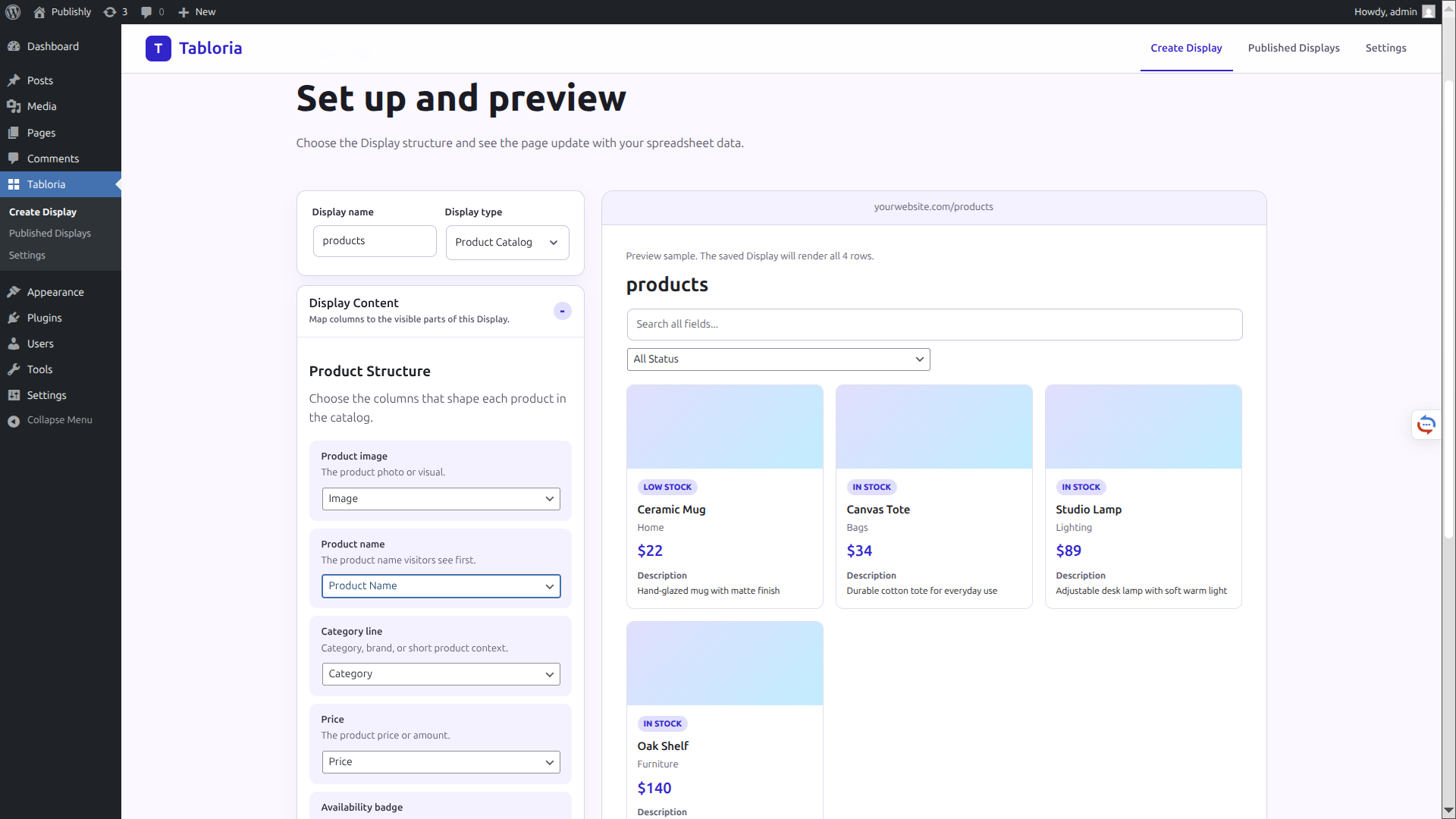
Table plugins are great when you only need rows and columns. Tabloria is for turning spreadsheet rows into reusable WordPress displays — from listings and catalogs to directories, schedules, pricing tables, and simple data tables.
Build the display from a CSV instead of manually rebuilding the same content in WordPress blocks.
Turn rows into cards, lists, directories, schedules, pricing layouts, or searchable tables.
Save a display once, insert it with Gutenberg, and keep display setup separate from page content.
Start from your data, then choose the display structure that fits the page you want to publish.
Create searchable cards from rows of data. Great for properties, services, resources, or locations.
Display products, assets, or offers with images, prices, and filters.
Create a clean people or organization directory.
Turn date-based rows into a readable schedule.
Create pricing cards from spreadsheet rows.
Publish a searchable table with sorting and pagination.
Tabloria keeps the process close to how WordPress users already publish content.
Tabloria keeps the content editor clean. Your display setup lives in Tabloria, while Gutenberg only needs to insert the saved display.
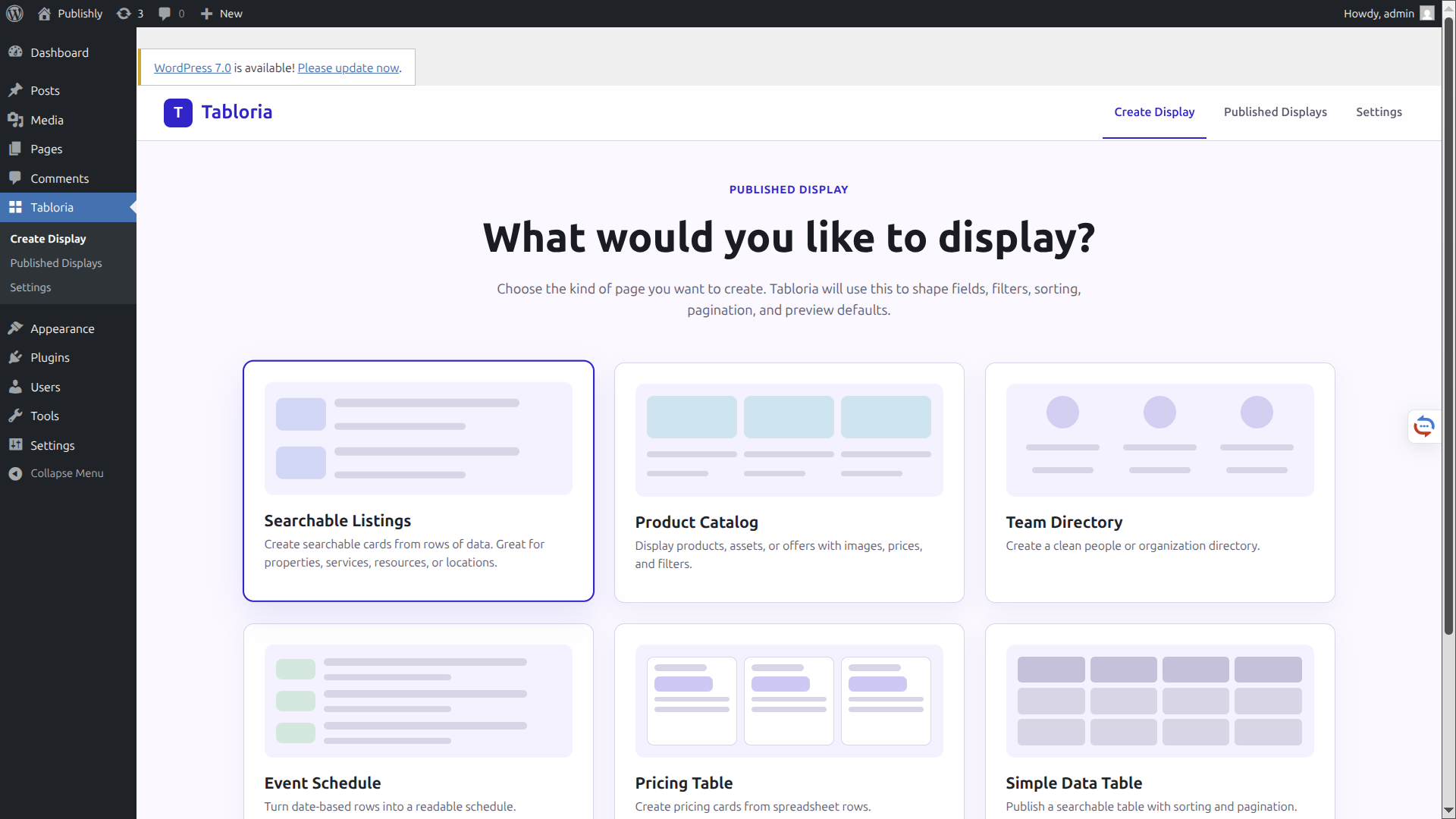
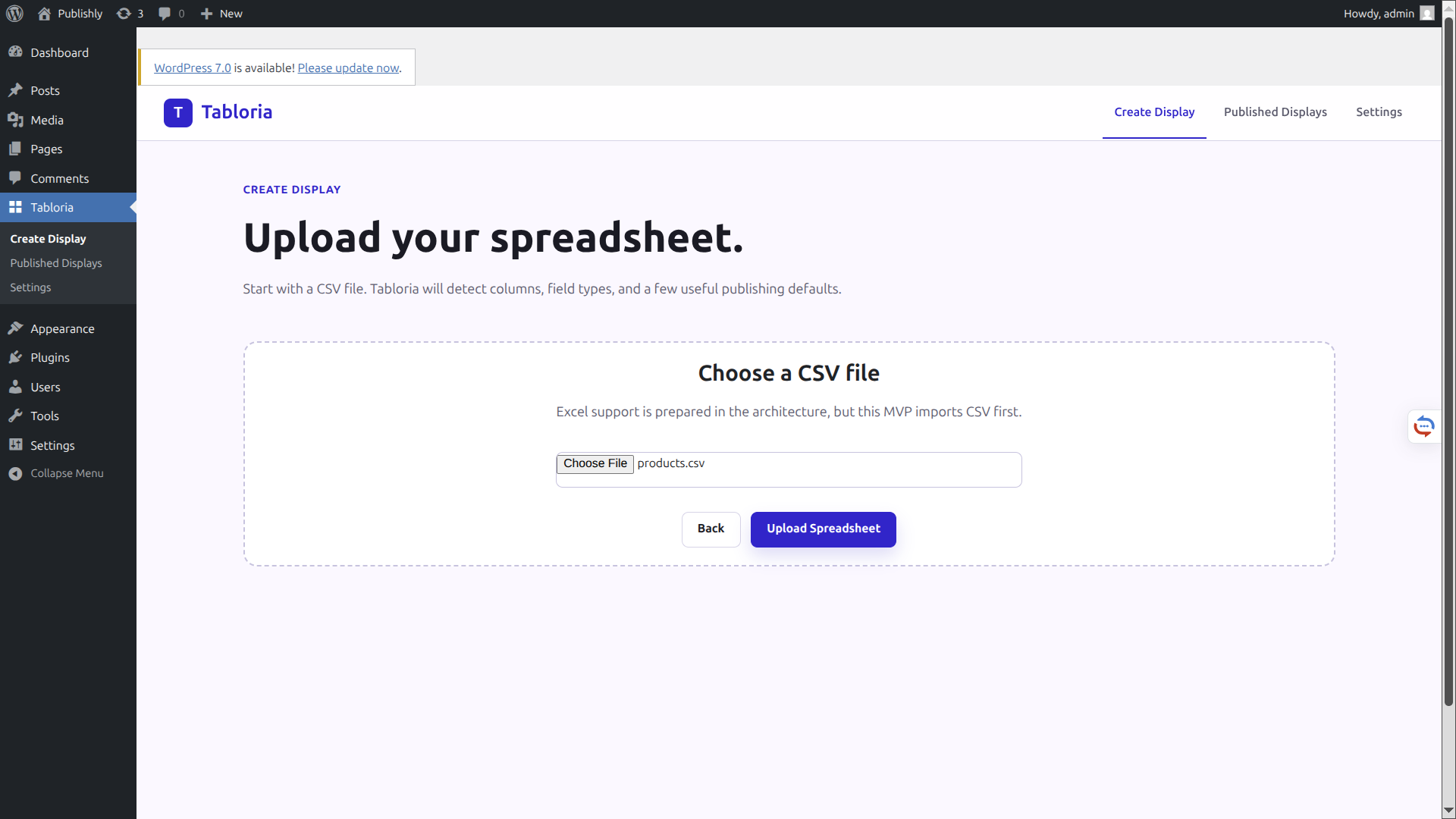
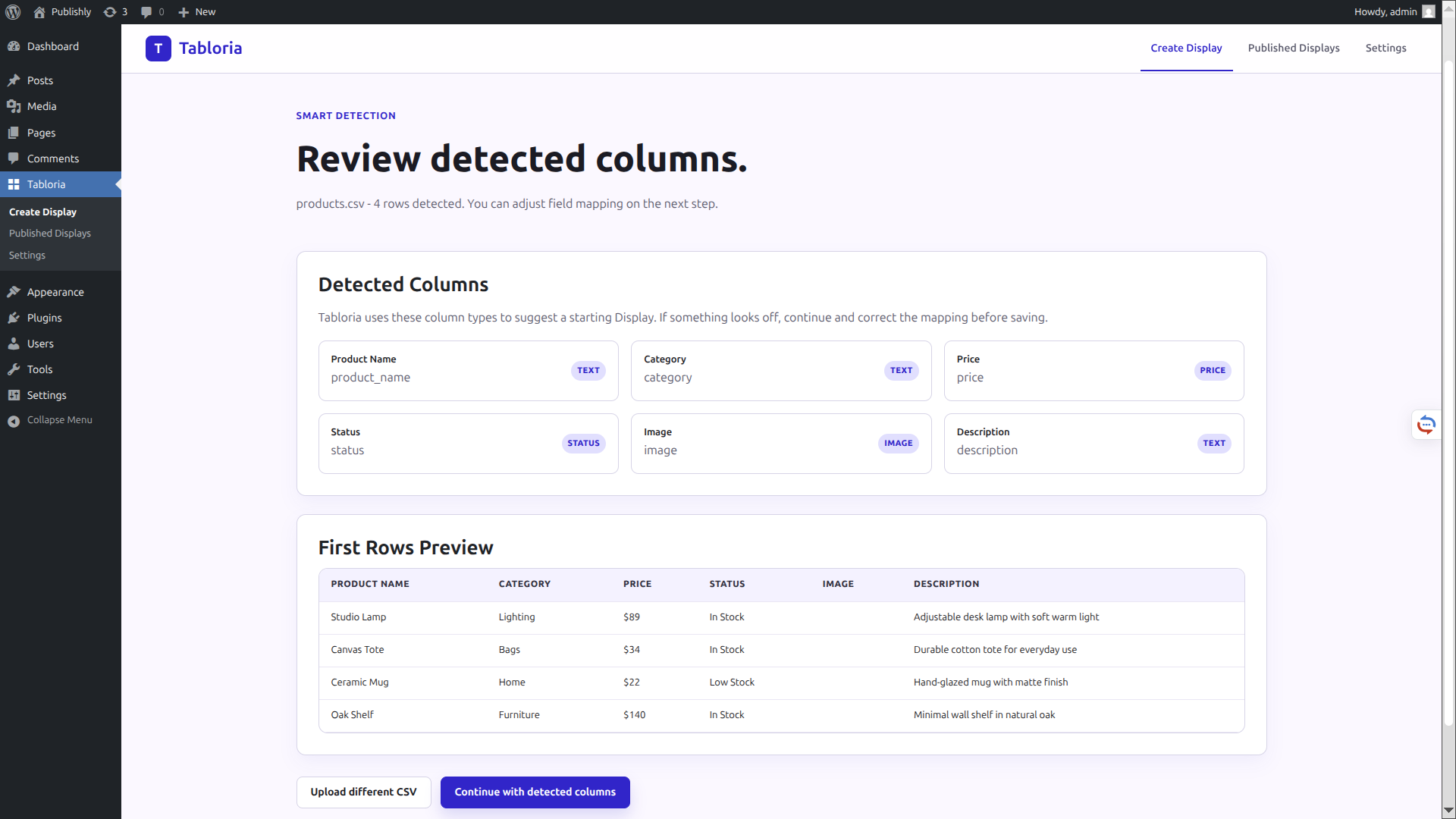
A practical WordPress admin flow from choosing a display type to publishing it on a page.
Select one of six supported structures.
Start with a CSV file exported from your spreadsheet.
Check detected field names and types before mapping.
Map columns to visual fields and preview the result.
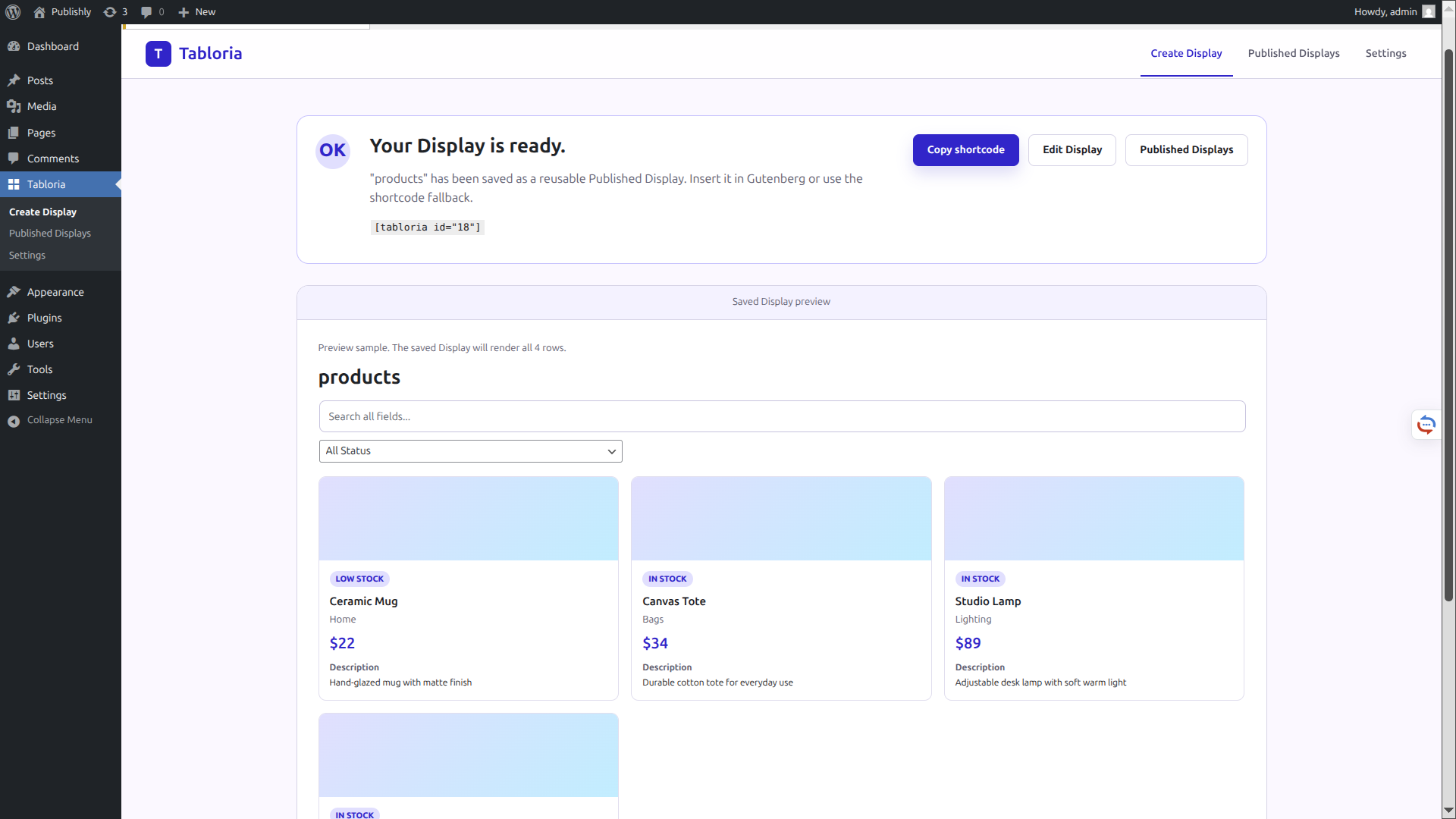
Save the configured display as reusable WordPress content.
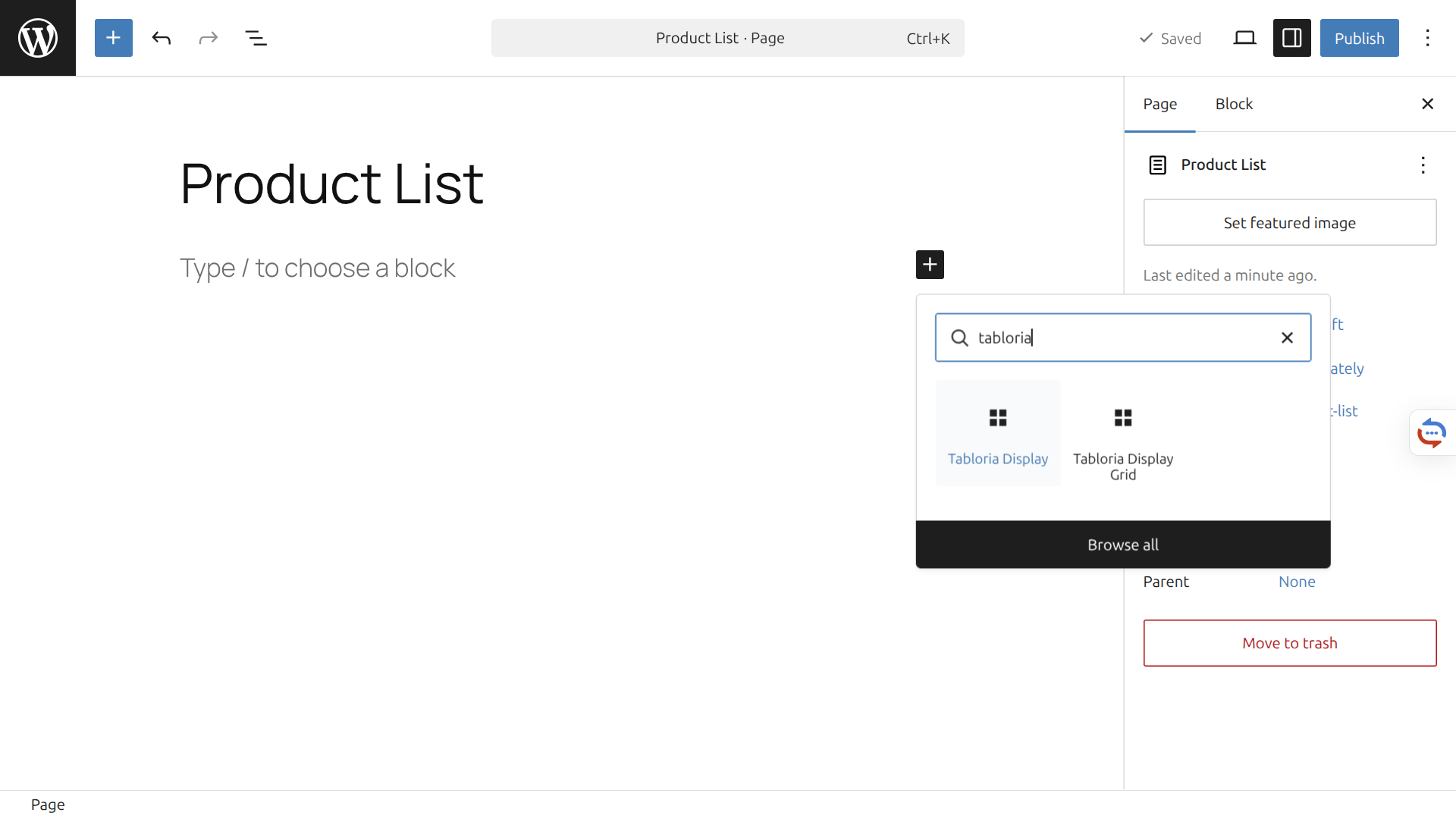
Find the Tabloria block in the editor and select a saved display.
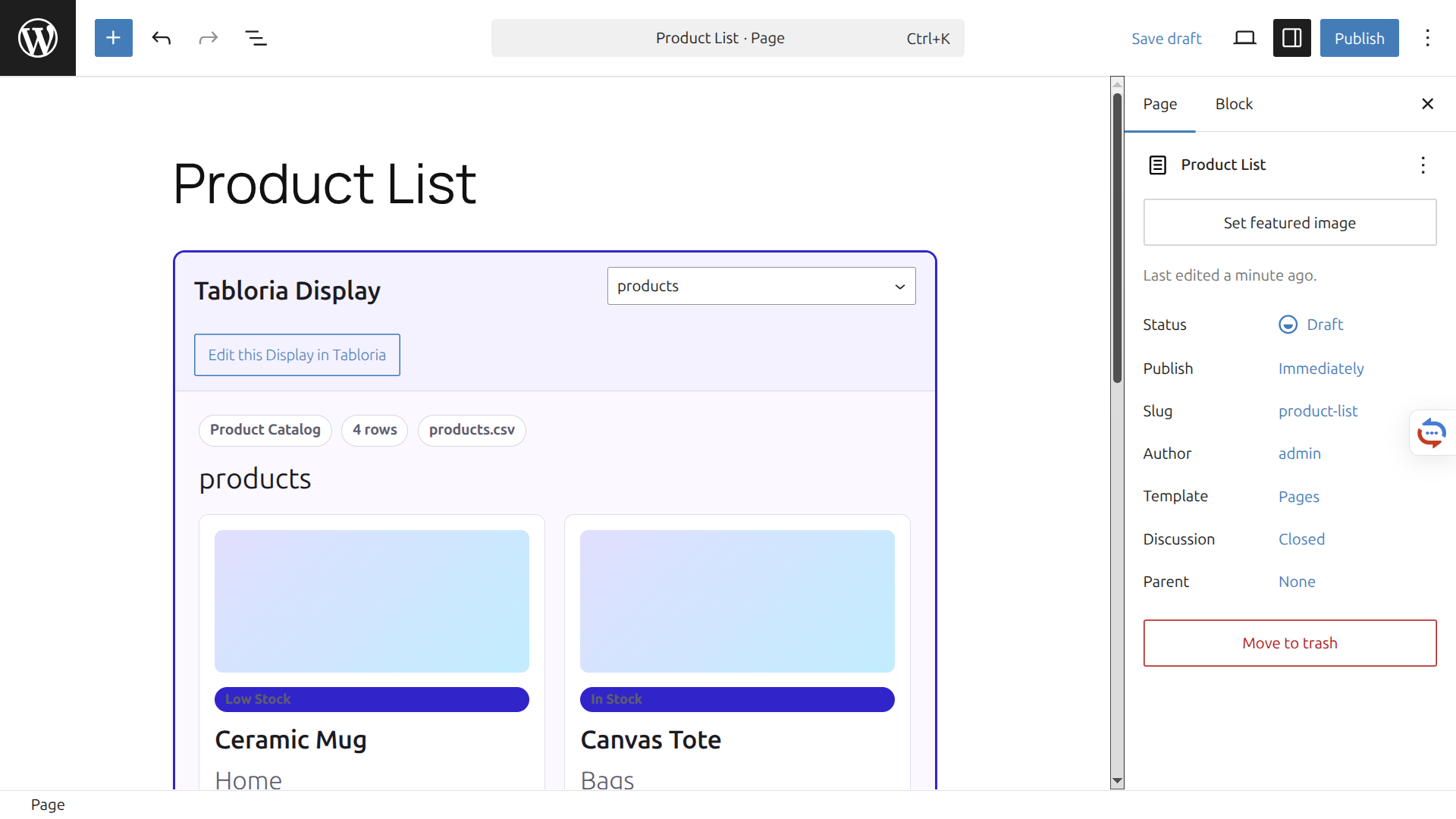
The display renders inside the WordPress page and remains reusable.
Tabloria can publish simple data tables, but its main purpose is creating reusable WordPress displays from spreadsheet data.
Tabloria currently supports Searchable Listings, Product Catalog, Team Directory, Event Schedule, Pricing Table, and Simple Data Table.
The current version starts with CSV.
Yes. Saved displays can be inserted with the Tabloria Gutenberg block.
Yes. Every saved display also has a shortcode fallback for classic workflows, widgets, or page builders.
Choose a display type, map your fields, preview the result, and insert it into Gutenberg.